KnowFlow Ledger · Match sources, trace each line

Every entry
has a source.

The same money leaves a record at your bank, your payment platform and the merchant. KnowFlow Ledger matches them into one transaction, and you can open every source layer.

iPhone · iPad · Mac Free to download Try every Pro feature free for 30 days after you first install

“Invisible Money” · 30 sec · Chinese voice-over

Oct 9 · 17:59
¥51.13

Do you remember what this one was for?

Funds layerWhere the money came from
The bank only knows: a third-party payment−51.13
Payment layerHow you paid
The payment platform knows: a fresh-food market−51.13
Order layerWhat you bought
Only the order knows: pork belly, cabbage, scallions5 items

KnowFlow Ledger lines up all three records of one payment.

  • Each layer is an original record you can open
  • Whichever you import first, the result is the same
  • Merge evidence, split it off or move it to another transaction, and undo any step
  • The order layer reads order screenshots from merchant apps; pick several at once for long orders
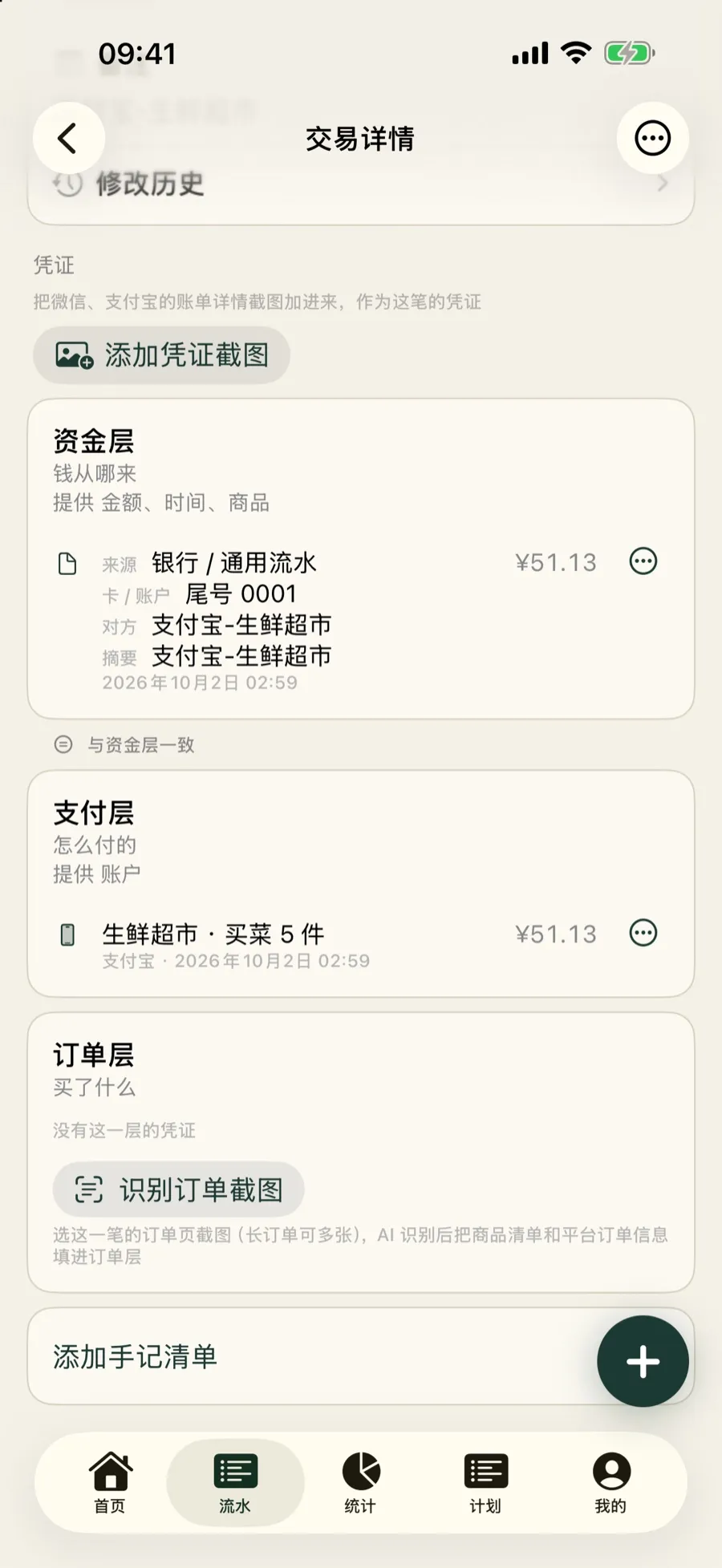
Funds, payment and order layers in a transaction’s details (Chinese interface)

“The Journey of 51.13” · 31 sec · Chinese voice-over
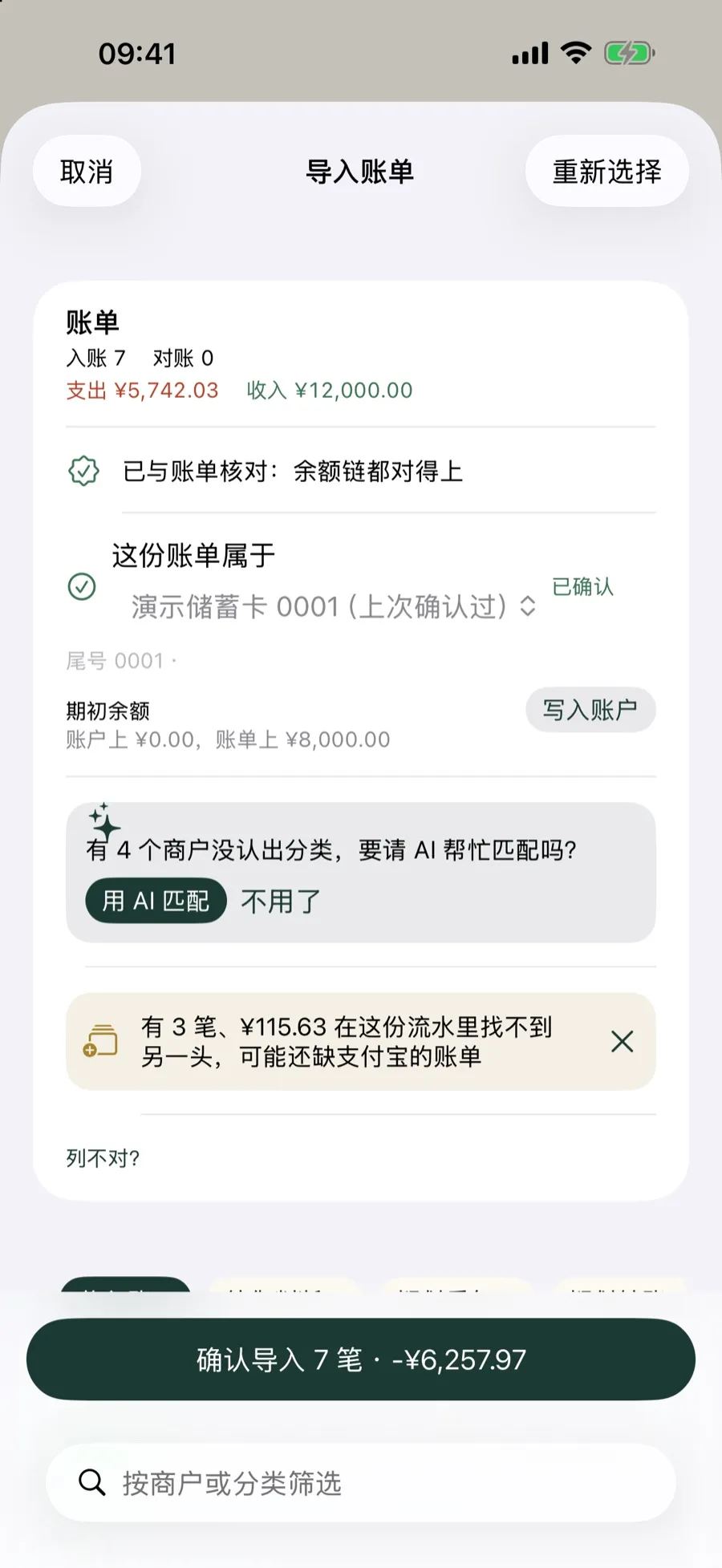
Import preview and statement check results (Chinese interface)
Quick to log · right when checked

Screenshots, photos, PDF statements. Logged in a tap.

Batch screenshot entryPick several bill-detail or bill-list screenshots at once. For long food-delivery or supermarket orders that don’t fit on one screen, the shots you take while scrolling are read as one order.
Statement importWeChat Pay and Alipay bills and bank e-statements are read in their own layouts. OFX / QFX, camt.053 and CSV, Excel or PDF exports from other banks work too.
One-sentence entry (AI, optional)“Taxi 32.5 yesterday, lunch 25” — check it, then save.
Statement self-check: never calls anything verified that wasn’t Numbers read from a statement are checked against its own balance, totals or row count. There are only four verdicts:
Verified Partly verified Mismatch Nothing to check against
Preview before importing and edit any row; an import can be undone as a whole. No statement at hand? Try the built-in sample statements first.

Painless to pay, real to owe.

Paying barely registers anymore, and buy-now-pay-later or interest-free installments can quietly turn bills into debt. Keep clear records, and you stay in control.

“Painless to Pay, Real to Owe” · 25 sec · Chinese voice-over

Credit Overview Credit cards, consumer credit, loans and installments in one place, with an all-in APR worked out from the real payment schedule.
Asset tiers Liquid, restricted and long-term, kept apart. Disposable balance = liquid assets − due in the next 30 days
Loans and installments Snowball and avalanche payoff simulations; recurring costs and installments create transactions automatically, with reminders before they’re due.
In control · in view

Assets, debts and budgets, all on one screen.
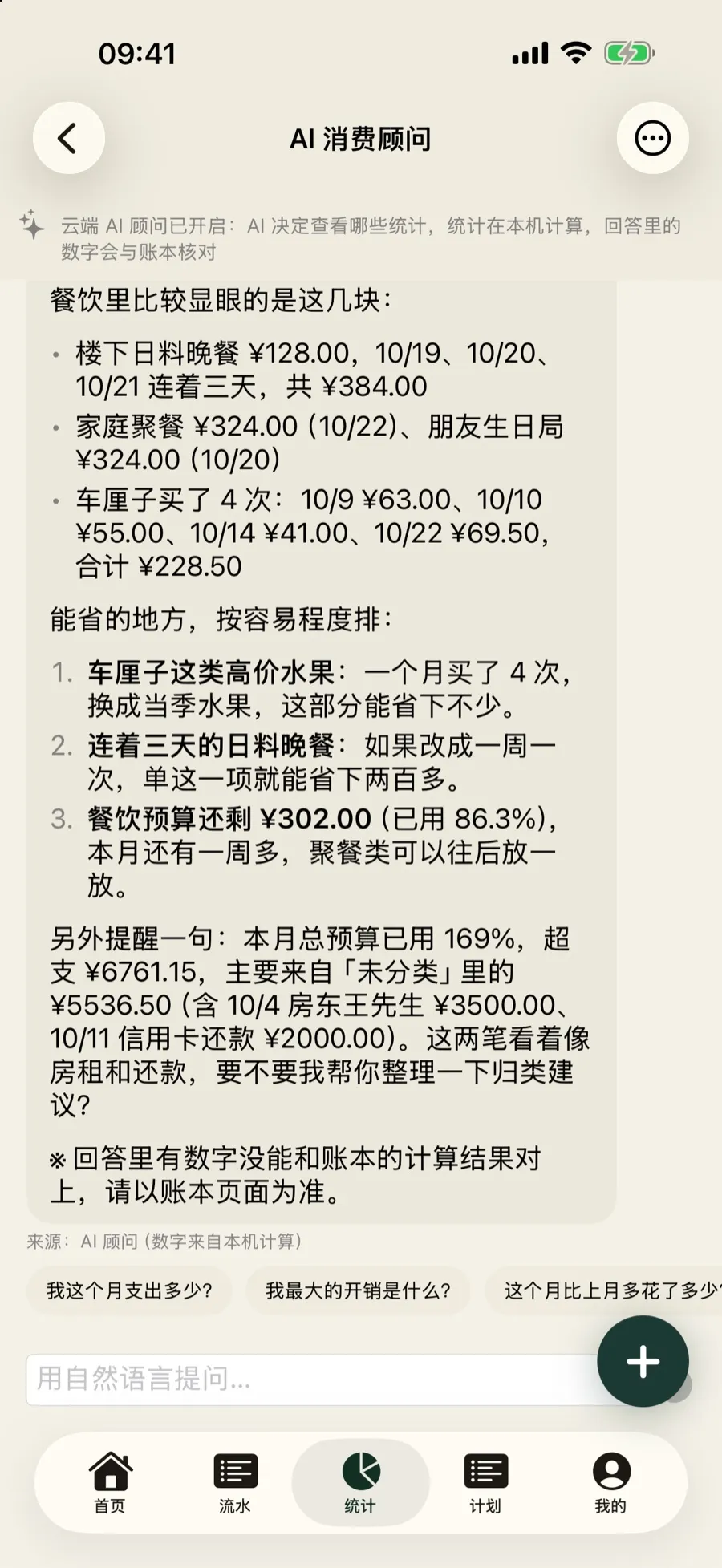
AI Spending Advisor Ask in one sentence. Statistics are computed on your device, and numbers in the answer are checked against your ledger. Optional, off by default. An answer from the AI Spending Advisor (Chinese interface)
Budgets and plansUse category budgets and zero-based envelope budgets together, with a monthly planning workbench and month-end rollover. Savings and shopping plans live here too.
Stats and reportsIncome and spending trends, category rankings, a spending heatmap and a 12-month cash flow forecast. Export custom reports to CSV and the Year in Review to PDF.
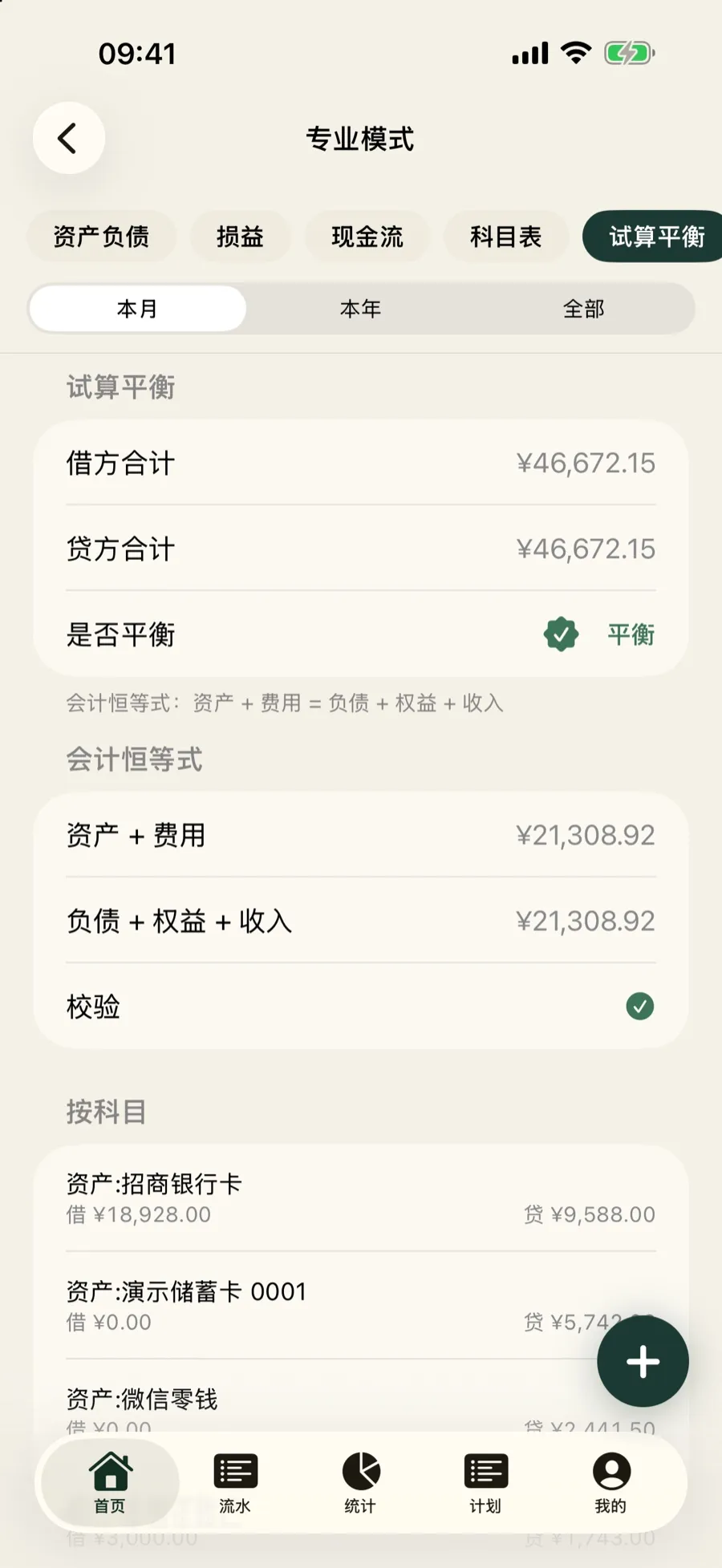
Pro Mode Every transaction is projected into double-entry lines: chart of accounts, trial balance and journal, plus a balance sheet, income statement and cash flow statement. Trial balance (Chinese interface)
Accounts and net worthMultiple accounts, transfers between them and balance adjustments; portfolio and term deposits, with net worth always in view.
Multiple and shared ledgersPersonal, household and more. Invite family with a code to keep the books together, and manage members and permissions.
Invoices and reimbursementRecognize mainland China VAT invoices on device and track them from to-submit to reimbursed; flag transactions for reimbursement.
Widgets, Shortcuts and SiriLog an expense or income, check today’s spending, see what’s left in a budget, switch ledgers.

iPhone, iPad and Mac. One ledger.

Your data is stored in your own iCloud private database and syncs between your devices. iCloud sync is free for everyone.

iPhone
Log or screenshot on the go, and trace any transaction layer by layer.
iPad
Keep entering in the side entry panel; drag Home cards to rearrange and resize them.
Mac
Tables, a side inspector and full keyboard control; reconcile a PDF statement side by side with your transactions.
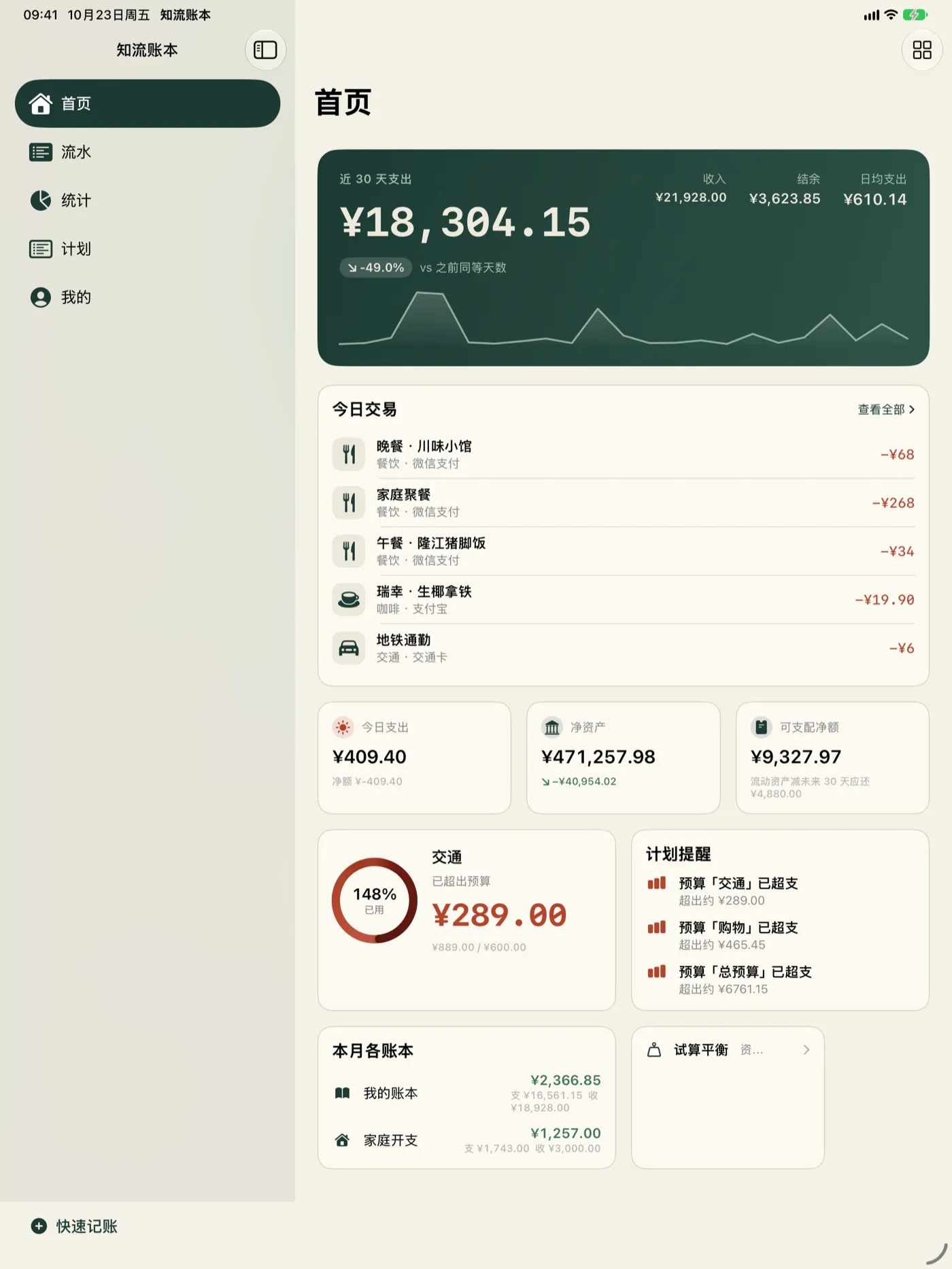
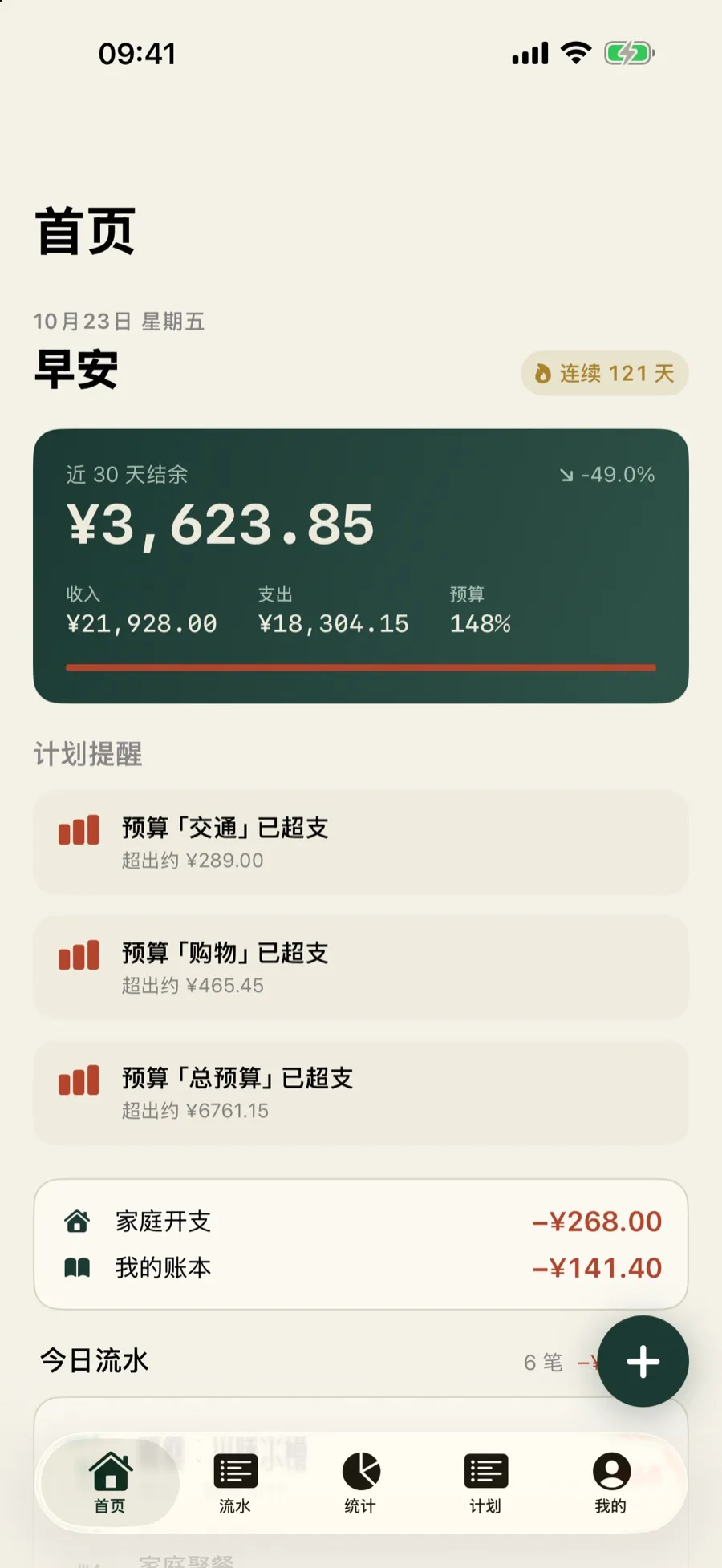
Home on iPad (Chinese interface) Home on iPhone (Chinese interface)
Privacy

Your books stay yours. The developer can’t see them.

Read the privacy policy
Stored in your own iCloud private databaseThe developer can’t access it. Sign in with Apple: no password, no account server.
Statements, screenshots and receipts are read on your device firstOnly when you turn on AI help is text with private details hidden, or a summary computed on your device, sent. Images, statement files and full transactions are never uploaded, and the server keeps no content.
AI is off by default, with consent for each featureEach feature explains what it sends before first use. AI only suggests; nothing in your ledger changes until you confirm.
No ads, no trackingNo third-party tracking, advertising or analytics SDKs.

Free to download. Pro is a one-time purchase.

Try every Pro feature free for 30 days after you first install.

Basic Free Logging, three-layer evidence, statement import and checks, budgets, multiple ledgers, iCloud sync.
Pro Buy once, keep it for good Receipt scanning, zero-based budgets, portfolio, cash flow forecast, savings tips, anomaly log and other advanced features. Not a subscription; nothing auto-renews.
AI Booster · optional Monthly subscription, cancel anytime 10 free uses on each device, then subscribe monthly to keep using AI help. Everything else works without it.

Prices are as shown on the App Store.

KnowFlow Ledger icon

Clear records, real control.

Download on the App Store

iPhone · iPad · Mac