Simple Schedule
Every event leaves a record of the work behind it
Calendar and Reminders record when things happen. Simple Schedule records what you actually did around them. It sits directly on top of Apple Calendar and Reminders — no second schedule to maintain: open a dossier for any event or to-do, prepare, start the timer, jot as you go, write the minutes and review afterwards, all in one place. No servers, no accounts; your data stays on your device and in your own private iCloud database.
Screenshots
Features
The system calendar is the only schedule
Reads and writes Apple Calendar and Reminders directly. Nothing is imported, migrated or locked in — delete the app and every event is still there.
A dossier for anything
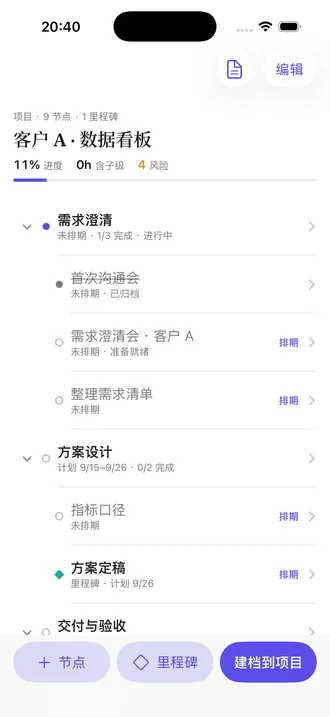
A meeting, a thesis defence, a two-month project — any event or to-do can have a dossier that moves through Prepare → Active → Review → Archived, with a state machine that rules out contradictory states.
Timer and a process timeline
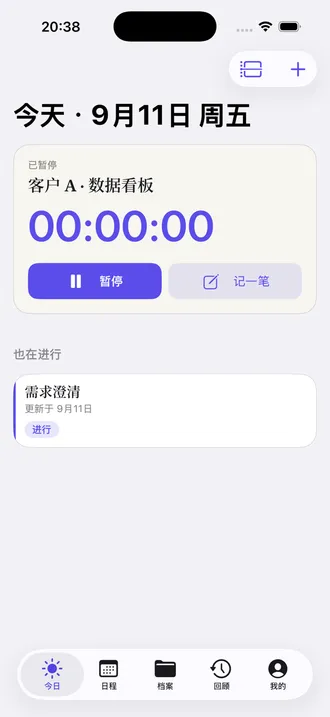
Start a task and the clock runs, visible on the Lock Screen and Dynamic Island. Every note, photo, voice memo and document edit is timestamped and immutable once written, so a review can tell your judgement at the time from what the system recorded.
Last time's minutes flow into next time's prep
For a recurring meeting, the previous minutes and unfinished action items appear in the next occurrence's preparation. Action items project into Reminders with one tap.
Projects and nodes, at whatever grain you choose
There is only one container — the dossier. A checklist item can be promoted to a node, a node can grow into a project, and merging back is one step. Scheduling writes to the system calendar rather than keeping a second set of dates.
Documents attached to the work
A built-in Markdown editor with tables, images, @mentions and wiki-links. One document can hang off several dossiers and shows up in a project's dated document stream.
Native on every platform
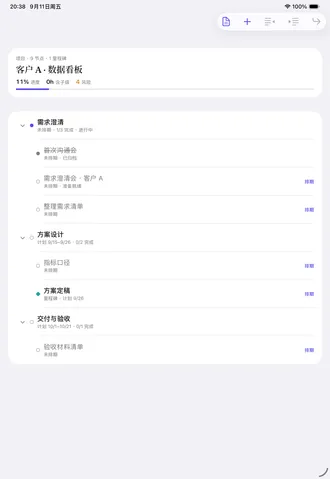
Quick capture on iPhone, a split-view workbench on iPad, and a three-column Mac app with a menu-bar timer and ⌘K capture. On a foldable iPhone the inner display opens into two panes.
Everything stays local
No servers, no accounts, no third-party SDKs, and no network requests of our own. Multi-device sync goes only through your own private iCloud database; summaries are generated on-device.